The best hiking log apps for keeping a record of your climbs
What to look for in a hiking journal app, how the big outdoor apps handle old hikes and notes, and which ones let you take your record with you

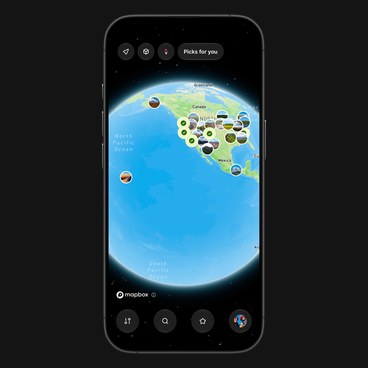
The best hiking log app is the one that will still hold your hikes in ten years, including the ones you never recorded with GPS. Strava, AllTrails and Gaia GPS all keep a record of what you track, Day One is a general journal that works well for trips, PeakVisor logs summit check-ins, and Yak is a free iPhone and Android climb journal where you can record a climb with GPS or log it by hand, tied to the peaks and lists you're working on.
The short version:
- For recording the hike itself, with stats and friends: Strava.
- For a list of trails you've finished: AllTrails.
- For GPS tracks you can export in bulk: Gaia GPS.
- For long, private journal entries with photos: Day One.
- For summit check-ins on a 3D map: PeakVisor.
- For a climb journal tied to the peaks and lists you're climbing: Yak.
- For a backup that outlasts every app: a spreadsheet or a paper logbook.
If you mostly want to check peaks off a list, our peak bagging apps guide covers the list trackers in more depth. This post is about the logbook: what you did, when, and what it was like.
What makes a good hiking log?
A good hiking log keeps the date, the place and a few honest notes for every hike, and lets you add hikes you never tracked. The rest is useful, roughly in this order:
- Past hikes, not only recorded ones. Your phone was dead, you forgot to press start, or the hike was in 2009. An app that only counts GPS recordings leaves holes in the record.
- Notes and conditions. Ice above treeline, a washed-out crossing, the wind on the ridge. These are the details you'll want before going back, and the ones you forget first.
- Photos and who you went with. Years later, these are what make an entry worth reading.
- A way to look back. Seeing hikes by month or year shows your seasons, your busy summers and the gaps.
- A copy you control. Apps change plans and features. It's worth knowing whether you can get your record out, and in what form.
Is Strava good for logging hikes?
Strava is good at recording hikes and keeping them in one place, and it lets you add a hike you didn't record. Its App Store listing calls the Training Log "the record of all your workouts," and hiking is one of more than 50 sport types it records.
When you finish a recording, Strava lets you title the activity, add photos and write a description. For a hike you didn't record, you can create a manual activity by entering the time and distance. It holds the numbers you type in rather than a GPS track, and you can't edit its elevation afterward.
Getting your data out takes a computer. Strava says exporting is only available on its website: you can download a single activity as GPX or its original file, or request an archive of your whole account. Strava has a free version and a subscription, which is $79.99 a year or $11.99 a month on the US App Store (November 2026).
Strava is built around training and sharing with friends, so a hike sits in the same feed as runs and rides. That suits some people well. It doesn't know which summit you stood on or which list it counts toward.
Can AllTrails keep a record of your hikes?
AllTrails keeps two kinds of record: a list of trails you've completed, and the activities you record. AllTrails' Completed list adds a trail when you record from its trail page or write a review, and you can also mark a trail as completed by hand from the trail page. That makes it easy to fill in hikes from before you had the app, as long as the trail is in AllTrails' database.
Recorded activities hold your stats and photos, and its App Store listing describes recording as a way to "capture your stats, leave reviews, and post photos." You can also save trails you want to hike later.
Free members can download their own activity recordings from the AllTrails website, in formats that include GPX, KML and CSV. AllTrails Plus is $35.99 a year and AllTrails Peak is $79.99 a year on the US App Store (November 2026). The paid plans are mostly about navigation: offline maps, wrong-turn alerts and custom routes.
AllTrails is at its best when your hikes follow trails in its database. Reviews and photos from other hikers are a big part of the app, and your own record sits right alongside them.
Does Gaia GPS keep a hiking log?
Gaia GPS keeps your tracks, and it's one of the easiest apps to get them out of. With a free membership you can record tracks, mark waypoints, take pictures and back your tracks up to gaiagps.com. On the website, each saved track shows its time, distance and elevation profile, and you can add notes to it.
Tracks export as GPX, KML or GeoJSON from the website, and the iOS app can export all your tracks at once. Gaia also says your tracks, routes and waypoints aren't tied to your membership level, so you keep them if you cancel.
Premium, which adds offline maps and the full map catalog, is listed at $59.90 on the US App Store (November 2026). Gaia is a navigation app first. Its log is a folder of tracks, which is perfect if the line on the map is what you care about, and thin if you want the story.

Can you use Day One as a hiking journal?
Day One works well as a hiking journal, and it's the best of these for writing. It's a general journal app, and its App Store listing says it adds the time, date, weather and more to every entry automatically. It has calendar and map views, and an On This Day feature for revisiting past entries.
The free Basic plan includes unlimited text entries, one photo per entry and one device. Silver allows 30 photos per entry, works on unlimited devices and adds a Strava integration. It's $49.99 a year on the US App Store (November 2026). Every plan can export to PDF and to CSV or JSON, and you can have the journal printed as a book.
What Day One doesn't have is any idea of mountains. It won't know which peak you climbed, show a route, or tell you what's left on a list, so you'd be typing the peak name and elevation yourself. Some people like exactly that: a separate journal just for trips, written however they like.
Does PeakVisor log summits?
It does. PeakVisor is best known for identifying peaks through your camera, and it also keeps a Travel Logbook of summit check-ins, each with the time, date, an optional photo and a note. Check-ins also count toward peak bagging lists such as the Colorado 14ers, the Munros and the Adirondack 46, according to its app manual.
On the PeakVisor website, the check-in form asks when you were there, so you can add a summit from the past along with a note and a photo. The app also records GPS tracks and exports them as GPX. PeakVisor PRO is $39.99 a year or $9.99 a month on the US App Store (November 2026).
PeakVisor's log is short by design: a summit, a moment and a line or two. It suits people who already love the 3D maps and want their summits to show up there.
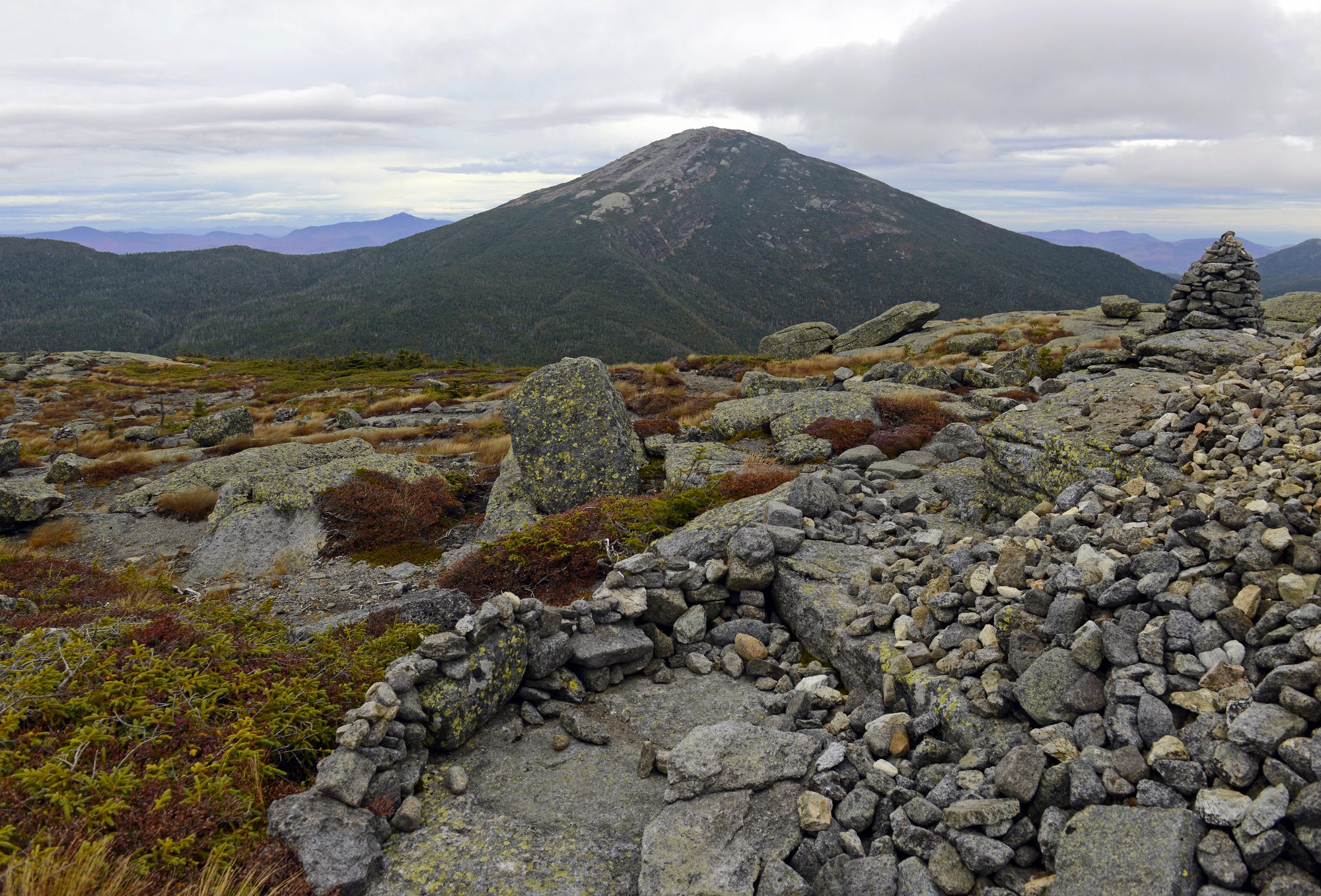
Is there an app to track the mountains you've climbed?
Yes, Yak is built for that. It's a free app for iPhone and Android with a climb journal at its center: record a climb with GPS while you're on the mountain, or log it afterward with the date, notes, photos and conditions. Every climb is tied to the peak, so it also counts toward each list, or quest, that the peak belongs to. Everything below is free:
- A climb journal. Record with GPS, or log a past climb by hand with the date, notes, photos and conditions.
- Quests. Check off peaks on lists like the Colorado 14ers, the Adirondack 46ers and the NH 48, and see what's left.
- Forecasts at three elevations. Five days at the trailhead, mid-mountain and summit, with wind and freezing level.
- Avalanche danger. The local avalanche center's rating, in season.
- Routes. Draw and save your own route on a topo map with an elevation profile, import a GPX file, or export a drawn route as GPX.
- Trip reports and hazards from other climbers.
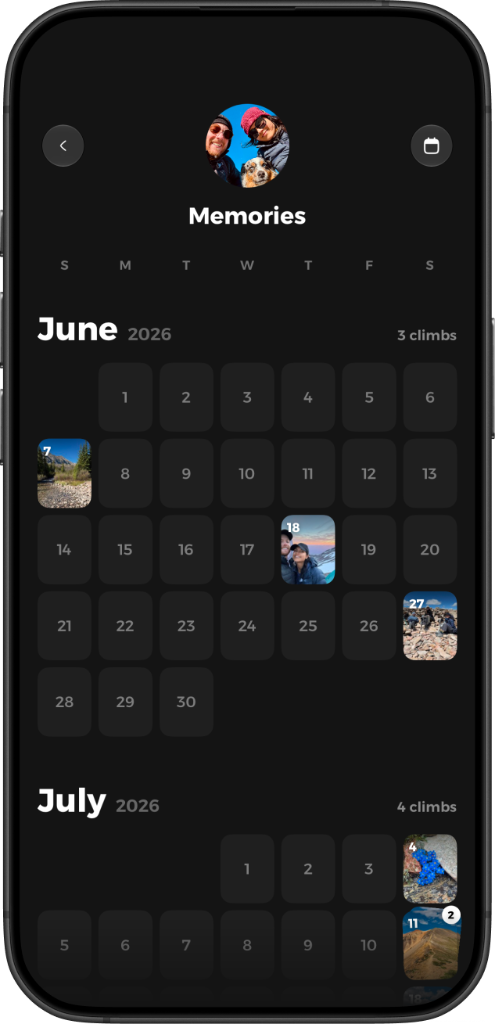
It suits people whose hikes mostly end on a summit and who want the notes, photos and conditions sitting next to the peak. If you also record runs or want long journal entries, it pairs well with Strava or Day One. The Yak app FAQ covers the rest.
Is a spreadsheet or paper logbook still worth it?
It's worth keeping as a backup. A spreadsheet costs nothing, opens anywhere and doesn't depend on any company's plans. A paper logbook does the same and fits in a pack.
The simplest version has one row per hike: the date, the peak or trail, the route, who you went with and a line about conditions. If you ever apply to a club for finishing a list, that's what you'll copy from. Adding a row each time you log a hike in an app takes about a minute.